
Writing
Scratching an itch with aws-vault-url
I think that aws-vault is a really nice tool. It prevents you from saving your AWS credentials in plain text on your machines (which is always a good thing)
Since I started using it – I found a number of difficulties along the way.
aws-vault does not support aarch64 #261
To solve this - I created my own binary - aws-vault on a Chromebook
aws-vault only supports storing credentials when using a fully blown GUI. Here is a really good walkthrough how to get this working https://www.tastycidr.net/using-aws-vault-with-linux/
aws-vault login will give you a URL with which you can paste into a browser and it will log you in automatically to the AWS console. My pet peeve with this was that it always brings you to the default console page.
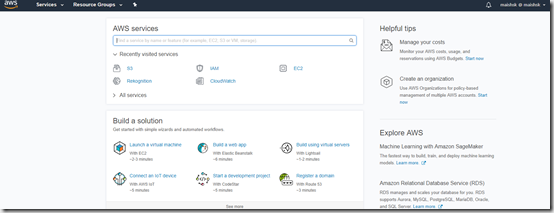
So I was thinking – why would I not be able to open up the specific console that I would like to access – such as S3 or EC2 – I mean come on … these are just different URLs that need to be opened in the same way.

Now if I was a go developer – I would happily have contributed this back to the original project – but I am not. I am not really a developer at all. I can play with code – I can also create stuff – but I would not dare call myself someone who can write an application.
So I wrote a small wrapper script to provide this functionality.
Say hello to aws-vault-url – an easier way to open a direct conosle for a specific product.
(This is in no way a robust tool – and if you would like to contribute and improve it – please feel free to submit a PR)
Update – 22/08/2018
So I did some thinking about this – and came to the conclusion that it makes no sense to maintain a separate tool – so I decided to take the leap and push myself to go into the code it self – so I sat for an hour or two last night, and extended the current functionality of aws-vault to accommodate this.
Here is the PR - https://github.com/99designs/aws-vault/pull/278.
Once this is merged – I suggest that you move over to the complete tool.