
Writing
Issue with vCenter Versions
I noticed something that I thought was an issue with my the vCenter installation and perhaps a change in location of the SQL database. But it turns out not to be the case.
Many of us have, are in the process or will soon upgrade to vSphere 4.1.
I personally like to test things before I do an upgrade so I currently have two environments running simultaneously


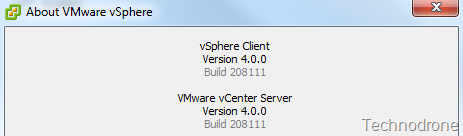
When you install your new 4.1 vCenter you will need to install a new vCenter client of course an now you will now have 2 versions of the vSphere client installed

The good thing is that when connecting to each of the versions you will not need to choose which client to connect with, that is done automatically

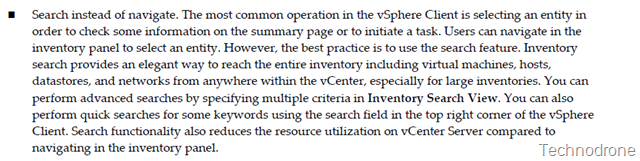
From the VMware vCenter Server Performance and Best Practices one of the recommendations are:
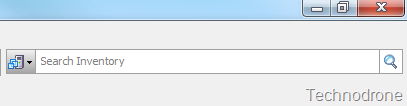
Yep it is that small box on the top right hand side of your vSphere client
So on my 4.0 vCenter, I tried to find a VM. I entered the VM Name (MAMA) and what I got was this
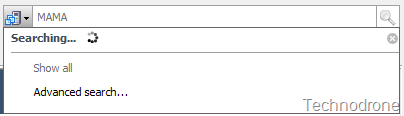
and no results. and this was really strange. It was working before, so I tried to do the same on the 4.1 vCenter, looking for a VM (Maish)
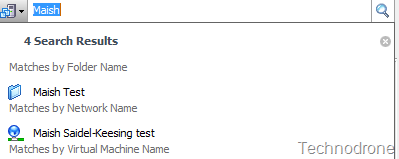
VOILA, worked!! Now this was strange
So I decided to try this out on the vCenter 4.0 Server itself – where only one version of the client was installed, and also it worked

I tried this again on the vCenter 4.1 server. I tried to connect to the4.0 vCenter and was presented with the option of downloading the old client
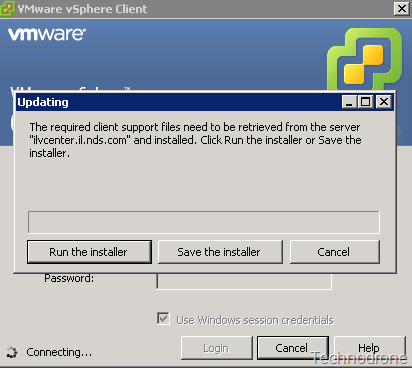
And when connecting to the 4.0 vCenter – the same issue occurred.

I actually had a SR open with VMware on this issue on 07/19/2010 – but did not really get a solution.
Hello Maish, We have opened a bug with our development engineering group for this issue. I will keep you updated as to the progress of this issue, however, I do not know when a solution will be available.
Workaround at the moment – and it is not optimal
- Do not connect to multiple versions of vCenter from the same machine. If you need to use 4.0 then make sure you have only the 4.0 Client installed.
- Take the plunge and upgrade to 4.1 - (something I am not 100% ready for yet)
This does not affect searching a 4.1 vCenter when you have both 4.0 and 4.1 clients installed.
I have also heard of issue regarding problems with Storage Views, and a memory leak in the vpxclient when left running for long periods of time – if both clients are running simultaneously
Thanks to @hyperviz0r, @wilva, @chuckgman, @chouse for their help in testing the issue.
Hope you enjoyed the ride!
*** Update 05/10/2010 ***
I would like to thank Michael for his comment that pointed me to a KB that VMware released regarding a workaround for this issue. It does not exactly describe the issue I encountered but maybe could solve the problem
KB Article: 1024493
Symptoms
- vCenter Server search function does not work
- vCenter Server search results appear blank, as if the search never completed
- This issue occurs when vSphere Client 4.1 is used to access vCenter Server 4.0
Resolution
This issue can occur if you try to connect to a mix of vCenter Server 4.0 and 4.1 from one machine but do not have both vSphere Client versions installed on the machine.
However, simply installing each Client version in different folders does not work. When you install the first Client you are asked where you want to install it. When you install the second Client, you are not asked for a location. Instead, the installer sees that you have already installed a Client and automatically tries and install the second client in the same directory.
To install vSphere Client 4.0 and 4.1 in separate directories:
- Install vSphere Client 4.0 in C:/Client4.0.
- Copy C:/Client4.0 to an external drive (such as a share or USB).
- Uninstall vSphere Client 4.0. Do not skip this step.
- Install vSphere Client 4.0 in C:/Client4.1.
- Copy the 4.0 Client folder from the external drive to the machine.
- Run vpxClient.exe from the 4.0 or 4.1 folder.